
For salons
Online appointment booking for salons
Clients book a haircut, colour, or facial with the stylist they like, at any hour, from a link on your Instagram bio or WhatsApp status. You see every booking in one place, and the chairs fill without a string of late-night replies.
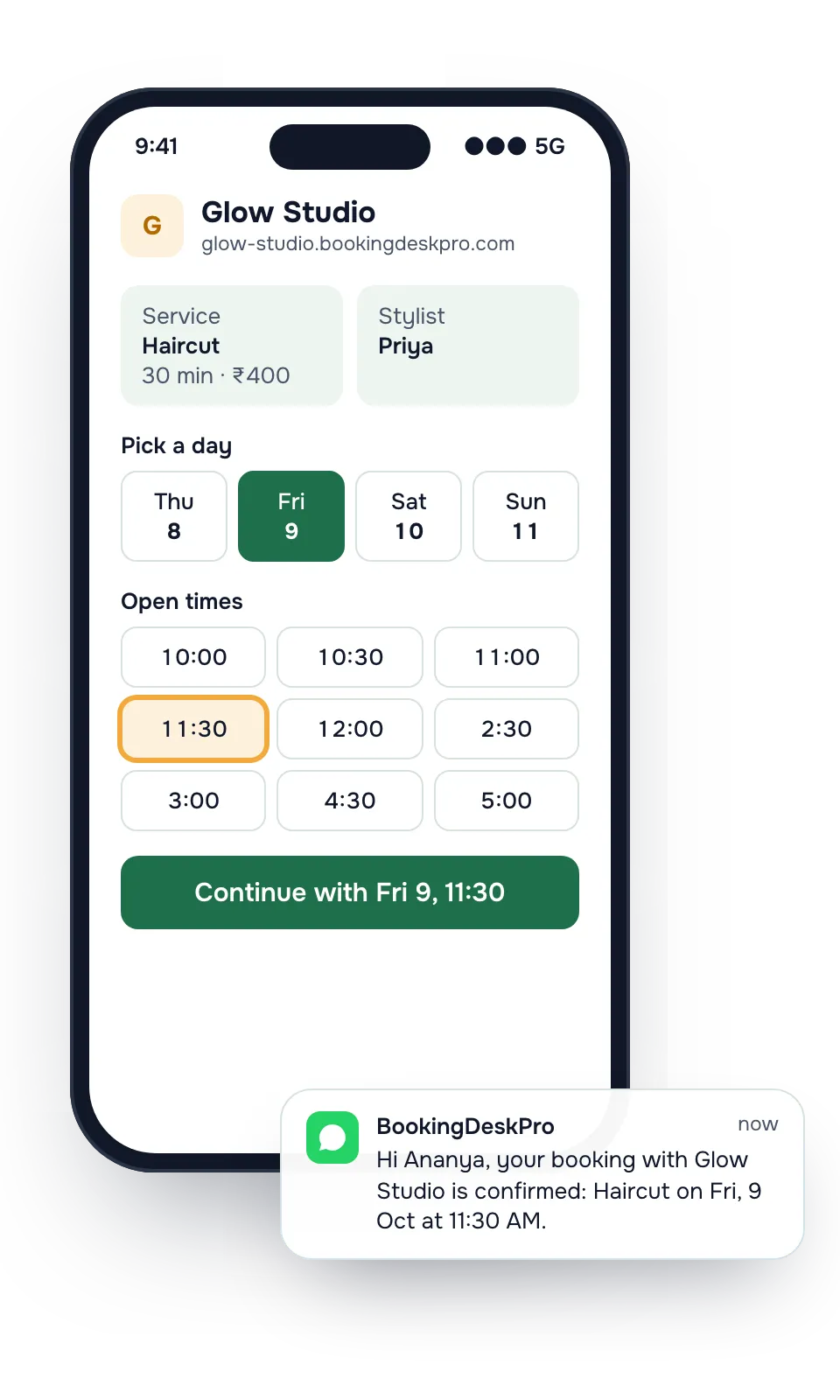
What changes at your reception desk
Today
With BookingDeskPro
Today: Clients message on Instagram and WhatsApp at night, and you reply the next morning.
With BookingDeskPro: They book the open slot themselves, and the booking is on your list when you open.
Today: Two clients turn up for the same stylist at the same time.
With BookingDeskPro: Each stylist has their own calendar, so a slot that is taken stops showing.
Today: Saturday appointments are forgotten, and the chair stays empty.
With BookingDeskPro: Clients get a reminder the day before and again 4 hours before, by email and on the Paid plan by WhatsApp.

A busy Saturday at Glow Studio
Your receptionist opens the day view at 10 and sees who is with which stylist. A walk-in gets booked into the next gap from the console. A client who wants to move her colour to Sunday does it from the link in her confirmation, without calling. Neha is on leave this week, so her slots do not show on the page.
What you get
- Your own booking page and a link to share
- A calendar for each of your stylists, with their own hours, leave, and services
- Confirmations and reminders by email, and by WhatsApp on the Paid plan
- A private link in every message to reschedule or cancel
- Staff logins for your front desk at no extra cost
Example services
You set your own services, lengths, and prices. These are examples.
| Service | Length | Price |
|---|---|---|
| Haircut | 30 min | ₹400 |
| Hair colour | 90 min | ₹1,800 |
| Clean-up facial | 45 min | ₹900 |
Your stylists: Priya, Imran, Neha. Customers can pick one, or choose Any available and get whoever is free at the time they pick.
Can clients pick their own stylist?
Yes. Every stylist is a calendar with their own hours and the services they do. After choosing a service, the client sees the stylists who offer it and each one's free times.
A client with a favourite picks her by name. A client who does not mind chooses Any available and gets whoever is free at that time.
How long should a colour or a facial block the chair?
Set the length once for each service. A 90-minute colour takes 90 minutes of that stylist's day, so the 11 AM haircut slot is gone for her and still open for the others.
If one stylist works slower on a service, give her a different length for it. You can also give her a different price.
How do I handle festival and wedding season?
Before Diwali or a wedding rush, decide how far ahead clients can book and how much notice you need. Both are in booking settings.
- Set a minimum notice so no one books a colour for the next hour.
- Turn on approval if you want to confirm bridal trials yourself.
- Block a stylist's leave once and her slots disappear from the page.
Salon owners ask
Can each stylist charge a different price?
Yes. A service has a default price and length, and you can set a different price or length for a stylist at a location.
Do my stylists need to log in?
No. A calendar is not a login. Your front desk can manage every stylist's bookings, and you can invite a stylist later if they want to see their own day.
Where do I put the booking link?
Your page lives at your-name.bookingdeskpro.com. Paste the link in your Instagram bio, your WhatsApp status, and your Google Maps listing, so clients land on your page instead of messaging you.
I have three stylists. Do I need the Paid plan?
The Free plan has one calendar, which suits a one-chair salon. With three or more stylists you need a calendar each, and the Paid plan includes 5. An extra calendar is ₹999 a year.
What if a client comes in without booking?
Your front desk adds the walk-in from the console, into the stylist's next free gap. It then shows on the same day list as the online bookings.
Can I use it instead of my billing software?
No. It handles the appointment and the reminders around it. Keep your billing tool for invoices, packages, and stock.
See how other businesses use it
Create your booking page and share it today
Add your stylists, their hours, and your services. Then copy the link into your Instagram bio and WhatsApp status.