
An online booking page with your own link
An online appointment booking page is your own web address, such as yourname.bookingdeskpro.com, where customers pick a service, a person, and a free time. Share this booking link on Instagram, WhatsApp, or Google. You do not need a website, and customers book on their phone without creating an account.
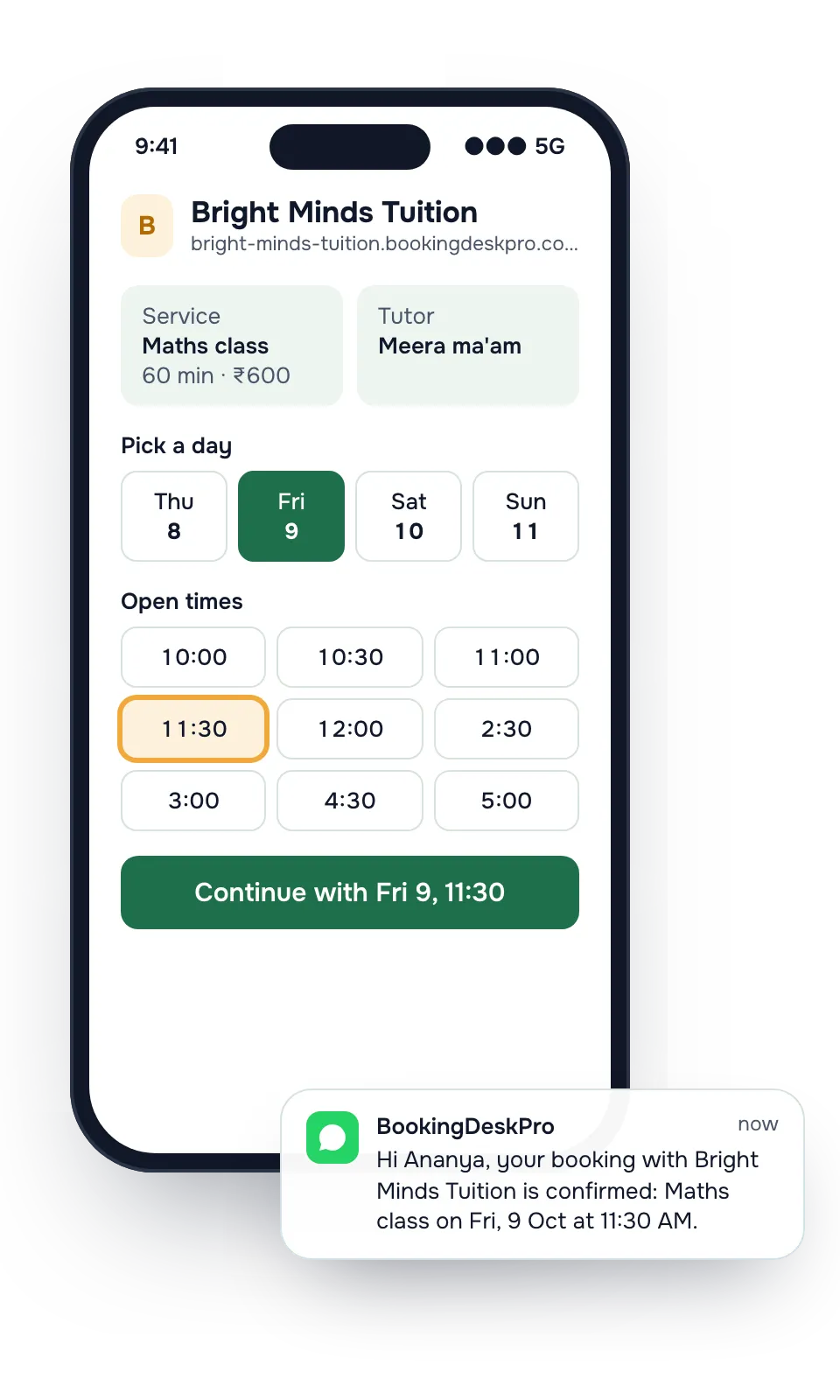
How do customers book an appointment online?
Step 1
Branch
Customers pick a location, or Online. The page skips this step when you have one.
Step 2
Service
They see each service with its length and price.
Step 3
Person
They choose a stylist, doctor, or tutor, or Any available.
Step 4
Time
Only free slots show, after your minimum notice and within how far ahead you allow.
Step 5
Details
Name and a phone number or email, whichever you require.
After booking, the customer gets a receipt with a QR code. They can add it to their phone calendar, save it as an image, or share it. A private link in every message opens the booking to reschedule or cancel.
How do I add a booking link to Instagram and Google Business Profile?
Copy the link or share it on WhatsApp from the app. Put it in these places:
- The bio link on Instagram and the WhatsApp Business profile
- The appointment link on your Google Business Profile
- A reply you send when someone asks "are you free tomorrow?"
Rules you set once
- Minimum notice. Stop bookings that start in the next hour or two.
- Booking window. Let people book up to 60 days ahead, or any limit you choose.
- Change cut-off. Customers can move or cancel online until a time you set before the slot.
- Approval. Review each request before it is confirmed.
- Rules for each branch. A branch can override the business's rules.
Booking page questions
What is the address of my booking page?
Your page lives at yourname.bookingdeskpro.com. Set-up suggests a name from your business name, and you can change it later in settings, as long as no other business uses it.
Can I put the booking page on my own website?
Yes, as a link. Point a Book now button or menu item on your website at your booking page.
Can customers book without creating an account?
Yes. Customers give a name and a phone number or email. To see all their bookings with you later, they sign in with a one-time code sent to their email.
What if a customer loses their booking details?
They open Find my booking on your page and enter their booking reference with the phone number or email they booked with. It opens the booking without a password.
Put your booking link in your Instagram bio today
Set-up asks four questions: your business name, your type of business, who customers book, and where they come. Then copy the link and share it.