
Every booking in one place for your front desk
Appointment management for a front desk starts with one list of every booking. Online bookings, phone bookings, and walk-ins land together, by day, by person, and by branch, so a slot cannot be booked twice. Staff add a walk-in in a few taps and check customers in by scanning the QR code on their receipt.
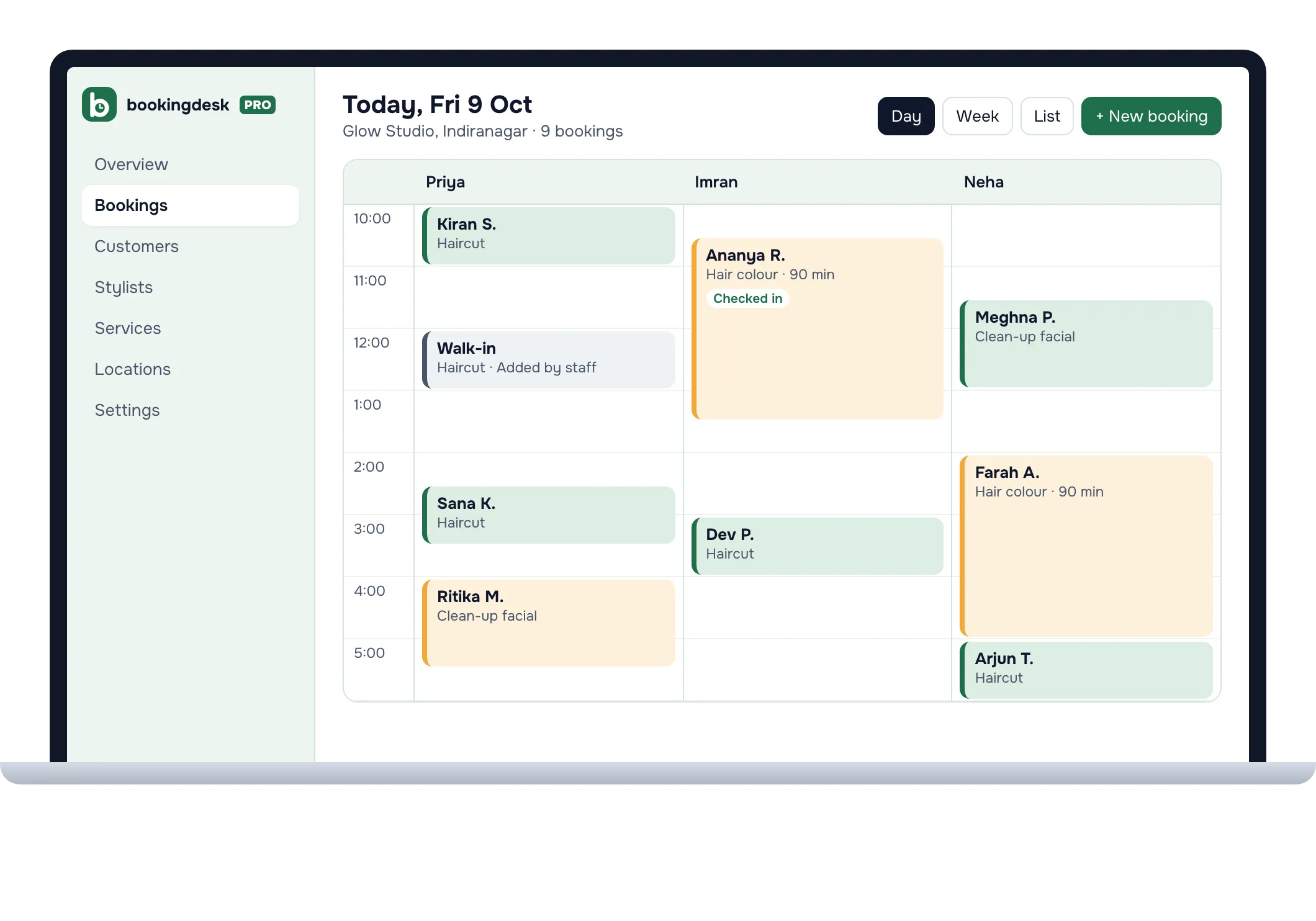
How do I manage walk-ins and check-ins?
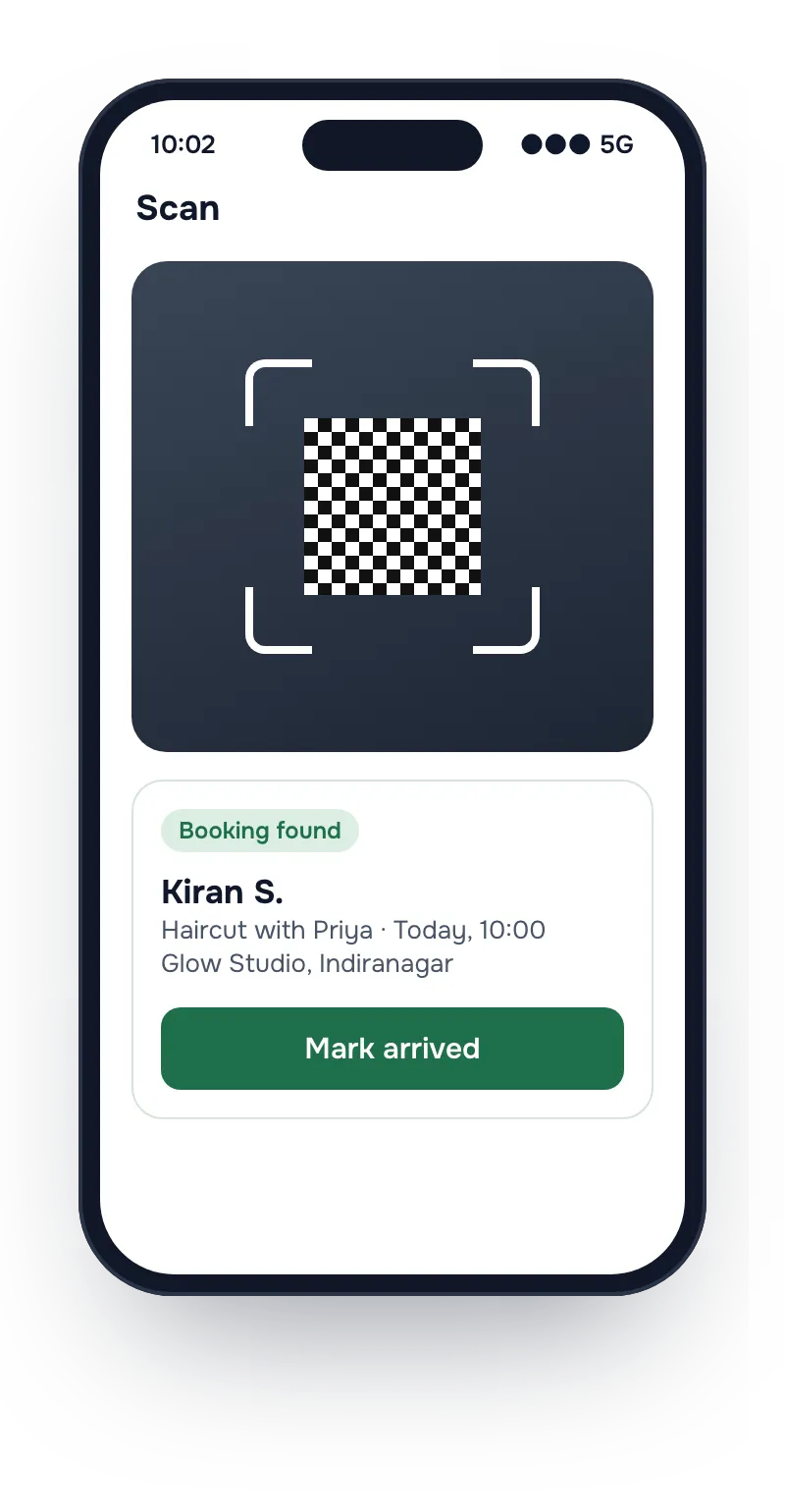
Add a walk-in from the console in a few taps, and it joins the same list as online bookings. For a customer who booked online, every receipt carries a QR code. Open Scan in the BookingDeskPro Android app, point the camera at the code, and the booking opens with a button to mark the customer arrived.

What the front desk can do
Check customers in
Open Scan in the BookingDeskPro Android app and point the camera at the QR code on a customer's receipt. The booking opens, ready to mark the arrival.
Manage hours and leave
Set weekly hours for each person, and add leave once. Those slots stop showing on the booking page.
Approve or decline requests
With approval on, new bookings wait for you. The customer hears back either way.
See who was not notified
When a change to a booking reaches neither email nor WhatsApp, the booking is marked, so you know whom to call.
Run several branches
Each branch has its own address, hours, and rules. Online-only locations need no address.
Keep customer records
Each customer's bookings and contact details sit in one record, visible only to your business.
Front desk questions
Can staff book a customer who calls or walks in?
Yes. Staff add a booking from the console in a few taps. They can also book outside the usual hours when the customer and the person agree.
What can each staff member see and change?
Each login has a role: owner, admin, member, or viewer. You can limit a member or a viewer to the branches they work at, so they see only those bookings.
Is there a mobile app?
Yes, for staff on Android. Owners and front desk staff can view and manage bookings, scan a receipt's QR code to check a customer in, and get notifications for new, rescheduled, cancelled, and approval-needed bookings. Customers do not need an app. They book in their browser.
Do the people customers book need their own login?
No. A calendar is not a login. The front desk can run every calendar, and a person can get a login later to see their own day.
Put your booking link in your Instagram bio today
Set-up asks four questions: your business name, your type of business, who customers book, and where they come. Then copy the link and share it.