
For consultants
Consultation booking for consultants and professionals
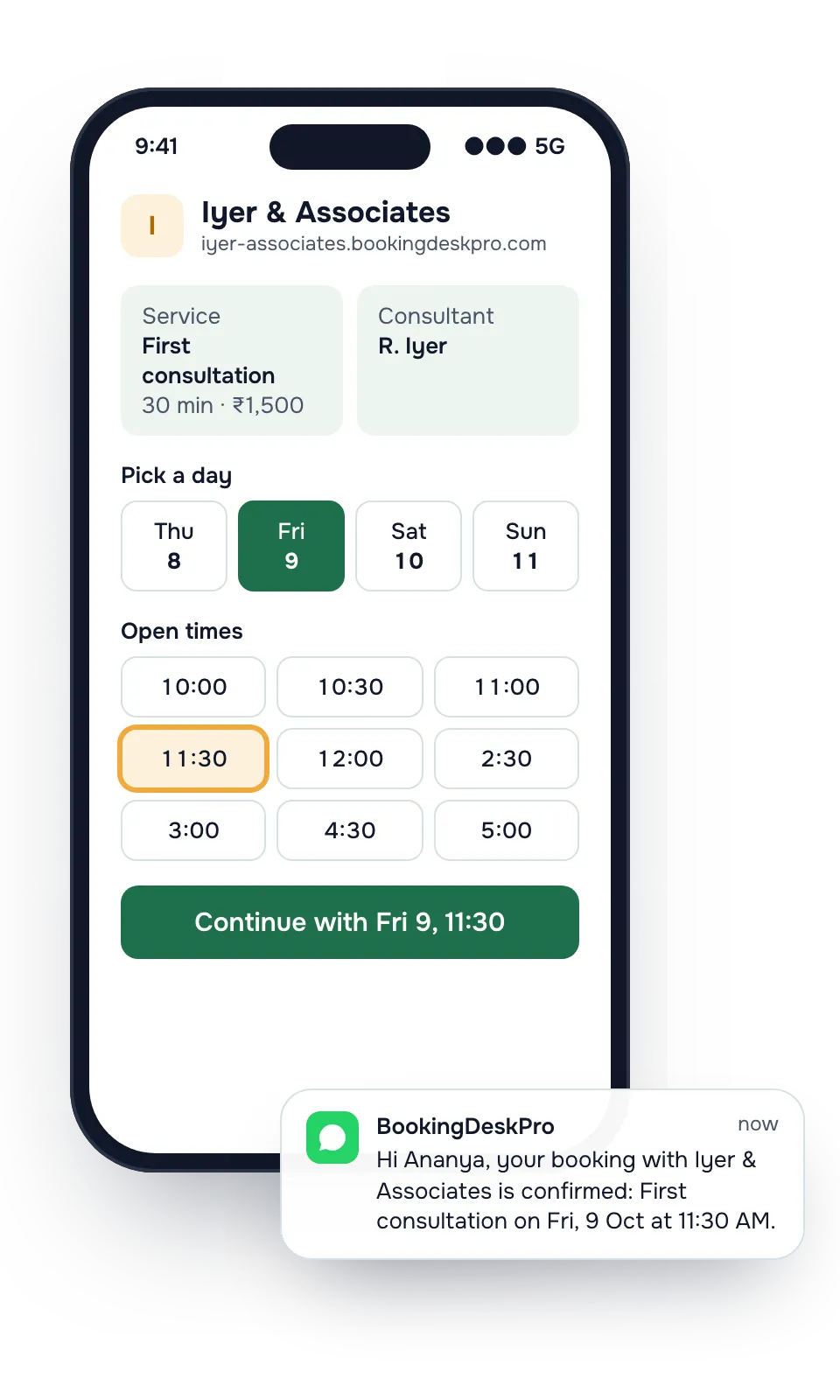
Clients book a meeting with you or a colleague, at your office or online, from a link in your email signature. Your diary fills without a round of calls to agree on a time.
Do clients meet me at the office or online?
Either. Keep your office as one location and add a second location marked online. The online one needs no address, and the booking page shows it as Online. The client picks where to meet when booking.
BookingDeskPro does not create the video link. You send your Meet, Zoom, or phone details in your own message, as you do today.
Meetings without the phone tag
Today
With BookingDeskPro
Today: Agreeing on a meeting time takes a phone call and two follow-ups.
With BookingDeskPro: Clients see your open times and pick one. The confirmation goes to both of you.
Today: Clients book for tomorrow morning when you need time to prepare.
With BookingDeskPro: Set a minimum notice, such as one day, and how far ahead clients can book.
Today: You want to check who the client is before you commit the time.
With BookingDeskPro: Turn on approval, and confirm or decline each request from the console.

A Thursday at Iyer & Associates
Your hours are weekdays 10 to 6. A new client books a first consultation for Thursday at 11, and your colleague takes a video call at 3. Both are in your shared list, and each client gets reminders before the meeting.
What you get
- Your own booking page and a link to share
- A calendar for each of your consultants, with their own hours, leave, and services
- Confirmations and reminders by email, and by WhatsApp on the Paid plan
- A private link in every message to reschedule or cancel
- Staff logins for your front desk at no extra cost
Example services
You set your own services, lengths, and prices. These are examples.
| Service | Length | Price |
|---|---|---|
| First consultation | 30 min | ₹1,500 |
| Tax filing review | 45 min | ₹2,500 |
| Video call | 30 min | ₹1,000 |
Your consultants: R. Iyer, S. Kapoor, A. Thomas. Customers can pick one, or choose Any available and get whoever is free at the time they pick.
How do I separate a first consultation from a follow-up?
Make them two services with their own lengths and prices. A first consultation might take 30 minutes and a tax filing review 45. Clients see the length before they pick a time.
Offer the first consultation to everyone, and give the follow-up only to the partners who handle it.
How do I get ready for filing season?
- Set how far ahead clients can book, so the weeks before a filing deadline are not full months ahead.
- Set a minimum notice of a day, so you have time to open the file.
- Turn on approval if you want to accept new clients one by one.
Consultants ask
Can clients book an online meeting?
Yes. Add a location marked online, and clients choose it when they book. Share the meeting link with them the way you do today.
Can I review a request before it is confirmed?
Yes. With approval turned on, a booking stays a request until you approve it, and the client is told either way.
Can I charge for the consultation online?
Customers do not pay when they book. You collect payment the way you do now.
Can my partners share one booking link?
Yes. Each partner is a calendar on the same page. Clients choose a partner, or choose Any available and get whoever is free at that time.
How does a client find a booking they made earlier?
Through Find my booking on your page. The client enters the booking reference and the phone number or email used, and gets a link to that booking.
See how other businesses use it
Create your booking page and share it today
Add your consultants, their hours, and your services. Then copy the link into your Instagram bio and WhatsApp status.